Online Game Boy Color (GBC) Emulator
Play Game Boy Color games in your browser. Drop a .gbc ROM you own and play instantly - the Gambatte core runs in WebAssembly, so nothing is installed.
Play your own GBC game
Drop a file onto the box - the game starts in seconds, and nothing is uploaded anywhere.
Drop your GBC game here
or click to choose a file from your device
Accepted: .gbc .gb .zip .7z
The file never leaves your device. RetroHub does not provide commercial ROMs - only play games you legally own.
No file? Try a GBC game now
These games open with one click, so you can test the emulator, the controls and the sound.

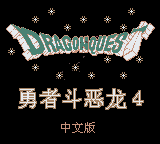
How to play GBC games online
- Drop a GBC game file you own onto the box above, or open one of the featured games.
- On the first start RetroHub downloads the emulator core once and keeps it in your browser, so later starts are quick.
- Play with the keyboard, a gamepad or the on-screen touch buttons. Your saves stay on this device.
About Game Boy Color emulation
The Game Boy Color (1998) added a colour screen and more memory while staying compatible with original Game Boy cartridges. Some cartridges are colour-only, others are dual-mode and add colour when played on a Game Boy Color. RetroHub plays both .gbc and .gb files with the same Gambatte core and writes battery saves automatically.
Tip: long role-playing games rely on the cartridge's battery save - after saving in-game you can close the tab and resume later.
Accepted files: .gbc .gb .zip .7z
Controls, saves and gamepads
Default keyboard: arrow keys move, Z is the A button, X is the B button, A and S are X and Y, Enter is Start, V is Select, Q and E are the L and R shoulder buttons.
Gamepads are detected automatically - plug one in or pair it by Bluetooth and press a button. On phones and tablets, on-screen buttons appear. The emulator menu lets you remap keys, change the volume and use save states.
Saves stay in this browser's storage, or in a local folder if you pick that mode in Settings. To move to another device, export a backup from the Storage page or back up to Google Drive.
GBC emulator FAQ
Which files work in the Game Boy Color emulator?
Files ending in .gbc or .gb, or a .zip that contains one.
What is the difference between Game Boy and Game Boy Color games?
Game Boy Color games add colour and use more memory. Colour-only cartridges do not run on an original Game Boy, but the emulator handles both.
Will my progress be saved?
Yes. Battery saves are written automatically and you can create save states from the emulator menu. They stay in your browser storage.
Other online emulators
RetroHub is an emulator, not a ROM store: it contains no commercial games. Only play files you legally own.