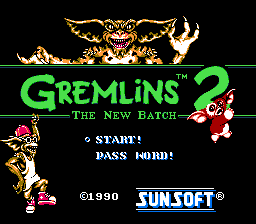
Gremlins 2 - The New Batch (USA) (Beta)
About This Game
Gremlins 2: The New Batch is a side‑scrolling action platformer for the NES, loosely based on the 1990 film Gremlins 2: The New Batch. Players take control of Gizmo as he fights his way through the Clamp Center office building, using a variety of weapons to defeat waves of mischievous gremlins and ultimately stop their leader, the Brain Gremlin.
Story
After the events of the first film, Gizmo returns to the Clamp Center office building, where a new batch of gremlins has spawned from water spilled on the building’s lower levels. The gremlins, led by the intelligent Brain Gremlin, plan to take over the building and eventually the city. Gizmo must navigate through the building’s many floors, defeat the gremlin hordes, and stop their scheme before they cause chaos.
Guide & Tips
Use the D‑pad to move Gizmo left/right and to crouch (down) or look up (up). The A button makes Gizmo jump; holding A allows a higher jump. The B button fires the currently selected weapon (start with a basic punch, later acquire items like the flashlight, burger, or weapon upgrades). Press Start to pause the game and access the inventory/menu. Collect scattered items to restore health or gain extra lives. Defeat all enemies in a section to proceed to the next room; watch out for environmental hazards such as falling objects and electric traps.
Controls
D‑Pad: Move / Crouch / Look up A Button: Jump B Button: Attack / Use weapon Start Button: Pause / Open menu Select Button: (No specific function in this title)
Trivia
The NES version was developed by Sunsoft, known for its high-quality licensed titles. The game's beta cartridge (labelled 'USA (Beta)') differs slightly from the final release, featuring alternate level layouts and a different ending sequence. Notably, the game's music was composed by Naoki Kodaka, who also worked on other Sunsoft classics like Blaster Master and Batman.
Tags
Custom ROM Source
If the default ROM resource is broken, you can paste a working URL here. The custom URL will be used for installation.
Resource not working? Share a backup link in the comments below or set a custom URL above.
Related Games
10-Yard Fight (USA, Europe)
Nintendo Entertainment System
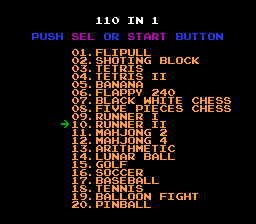
110 in 1 (Asia) (En) (Unl) (Pirate)
Nintendo Entertainment System
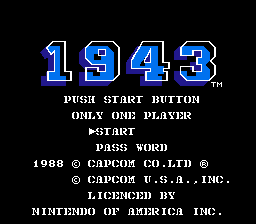
1943 - The Battle of Midway (USA)
Nintendo Entertainment System
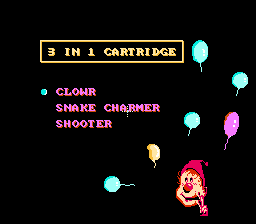
3 in 1 Supergun (Asia) (En) (Unl)
Nintendo Entertainment System
3-D WorldRunner (USA)
Nintendo Entertainment System
湾岸作战
MS-DOS
Comments & Discussion
Share your gameplay experience, tips, or backup ROM links if the original resource is broken.